


Scan a card, get a price
Point your camera and tap. AI reads the name, set, number and grade, checks live listings and recent sales, and suggests a price while you keep talking. Singles, slabs and sealed.

Scan a card, see what it’s worth, and close buys, sells and trade-ins in one cart. PokeSwift replaces the calculator, the comp tabs and the notebook so your line keeps moving.
Pricing and lists from the sources you already trust
Features
From the first scan to the final handshake, PokeSwift keeps pricing, trade-in math and records in one place.
Point your camera and tap. AI reads the name, set, number and grade, checks live listings and recent sales, and suggests a price while you keep talking. Singles, slabs and sealed.
Outgoing sales and incoming trade-ins sit side by side in the same deal. Set store credit and cash rates once, tweak any item mid-negotiation, and PokeSwift does the math.

Check TCGplayer, eBay and PriceCharting without leaving the deal, with condition toggles and eBay ask ranges.
Search by name, set, number or artist, or browse series and sets. Price history charts show spikes and stale prices.
Customer walked up with a Collectr or TCGplayer list? Import it straight into the cart and total it in seconds.
Scan on your iPhone, check out on the iPad, review on the web. The cart updates live everywhere you’re signed in.
Every change saves on the device first and syncs in the background, so a spotty show floor won’t lose a deal.
Split payments across cash, Venmo and more. Knock off a vendor discount, round to whole dollars, add tax if you need it.
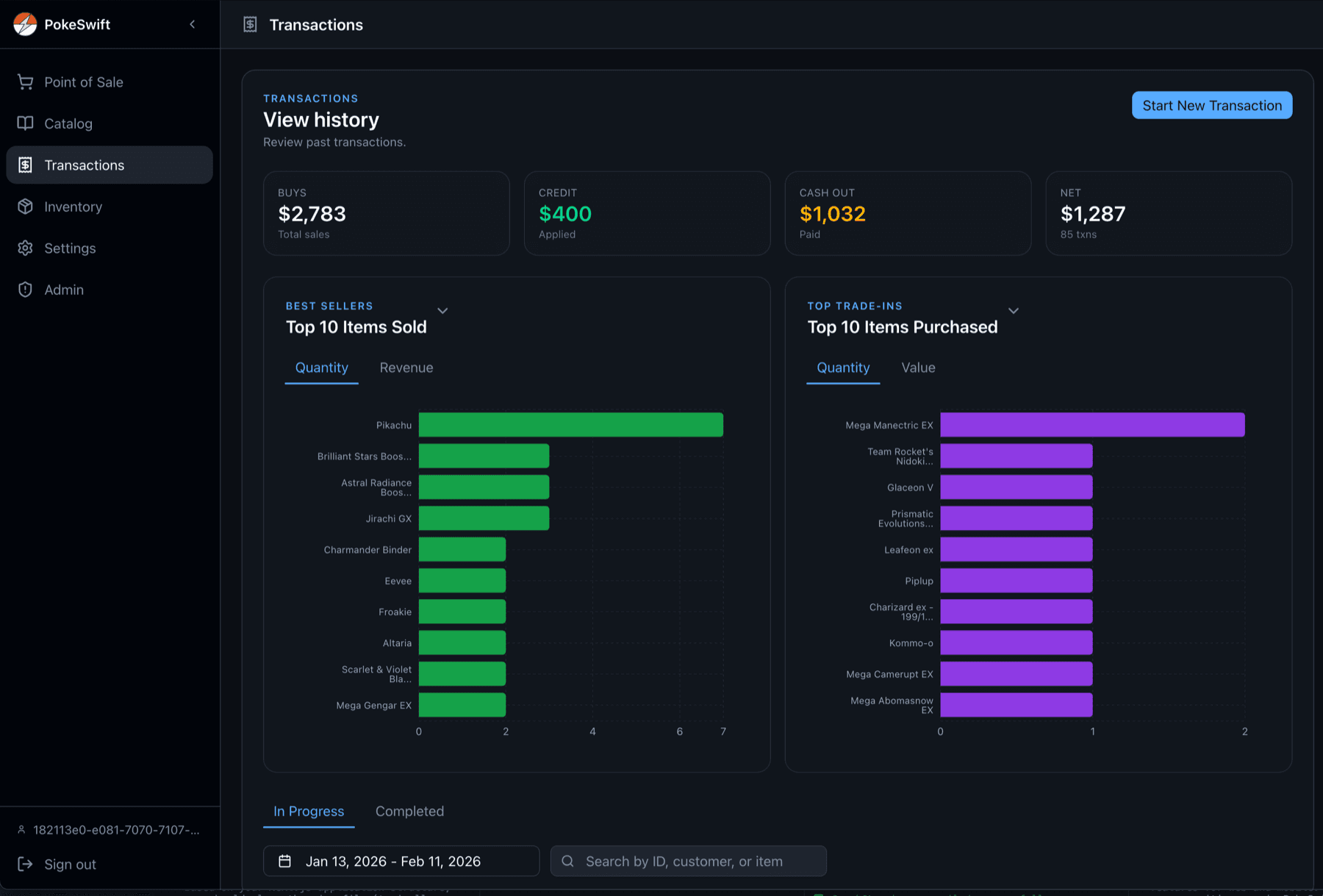
Every deal is logged with what sold, what came in, for how much and when. Filter by date, see top sellers and top buys, and export to CSV or a PDF report.

Import your Collectr or TCGplayer collection and it shows up while you build a buy list or check comps, so you know what’s already in the case.
How it works
Snap the card with your camera, search the built-in catalog, or import the customer’s Collectr or TCGplayer list.
See market price, live comps and price history side by side. Adjust any item, or switch a trade-in between credit and cash.
Apply a discount, split the payment, and complete. The deal is logged and synced to every device instantly.
Made for the booth table
On iPad, the item composer and the cart sit side by side. Your customer can watch the total update while you scan, and you never lose your place.

Back office on the web
Sign in at app.pokeswift.com to review every transaction, see what sold best and what you bought most, manage inventory imports, and export your numbers when the show wraps.
Pocket-sized
On iPhone, items and the cart are a tap apart. Scan a stack into the queue first, review it, then add everything at once.

Platforms
Run the register on an iPad, scan with your phone and reconcile on a laptop. Everything stays in sync in real time.

Seen at shows
Show-floor deals are fast, loud and face to face. PokeSwift is designed around exactly that, so every feature is there to take seconds off the line.
Pricing
Unlimited quick capture, PDF/CSV exports and custom branding in the mobile app. Choose the Pro plan that fits your shows.
Get started with the essentials.
Pay as you go. Great for the occasional show.
About $2.48 a week. Save over 50%.
New accounts get 3 days of Pro to try it. After that you are on Free, and your transactions stay available. Cancel Pro anytime.
FAQ
PokeSwift is a point of sale app for trading card show vendors. It combines camera card scanning, a built-in card catalog with price history, live comps, and a cart that handles sales and trade-ins together, so you can price and close deals without a calculator or a dozen browser tabs.
PokeSwift runs on iPhone and iPad (App Store), Android (Google Play) and in any web browser at app.pokeswift.com. One account works everywhere, and transactions sync live between your devices.
Point your camera at a card and tap. PokeSwift identifies the name, set, number and grading details, checks live listings and recent sales, and suggests a price you can accept or adjust. You can also search the catalog or enter items manually for sealed product and accessories.
Set default store credit and cash percentages in Settings, then adjust any individual item during the deal. Credit is applied first, and anything left over converts to cash at your cash rate. Sales and trade-ins live in the same cart, so the final number is always one total.
Every change is saved on your device first and synced in the background, then catches up when the connection returns. Catalog cards you have already viewed are cached too. AI scanning and live comps need a connection.
Yes. Import Collectr or TCGplayer CSV exports, either as your own inventory or straight into the current deal. PokeSwift detects the format automatically and lets you choose which items to include.
Pro is $4.99 per week or $129.99 per year and includes unlimited quick capture (fair-use limits apply), PDF/CSV exports and custom branding in the mobile app. New accounts get a 3-day Pro trial, and you can cancel anytime. A Free plan is also available.

Download PokeSwift, run a practice deal with the guided tour, and be ready before the doors open.